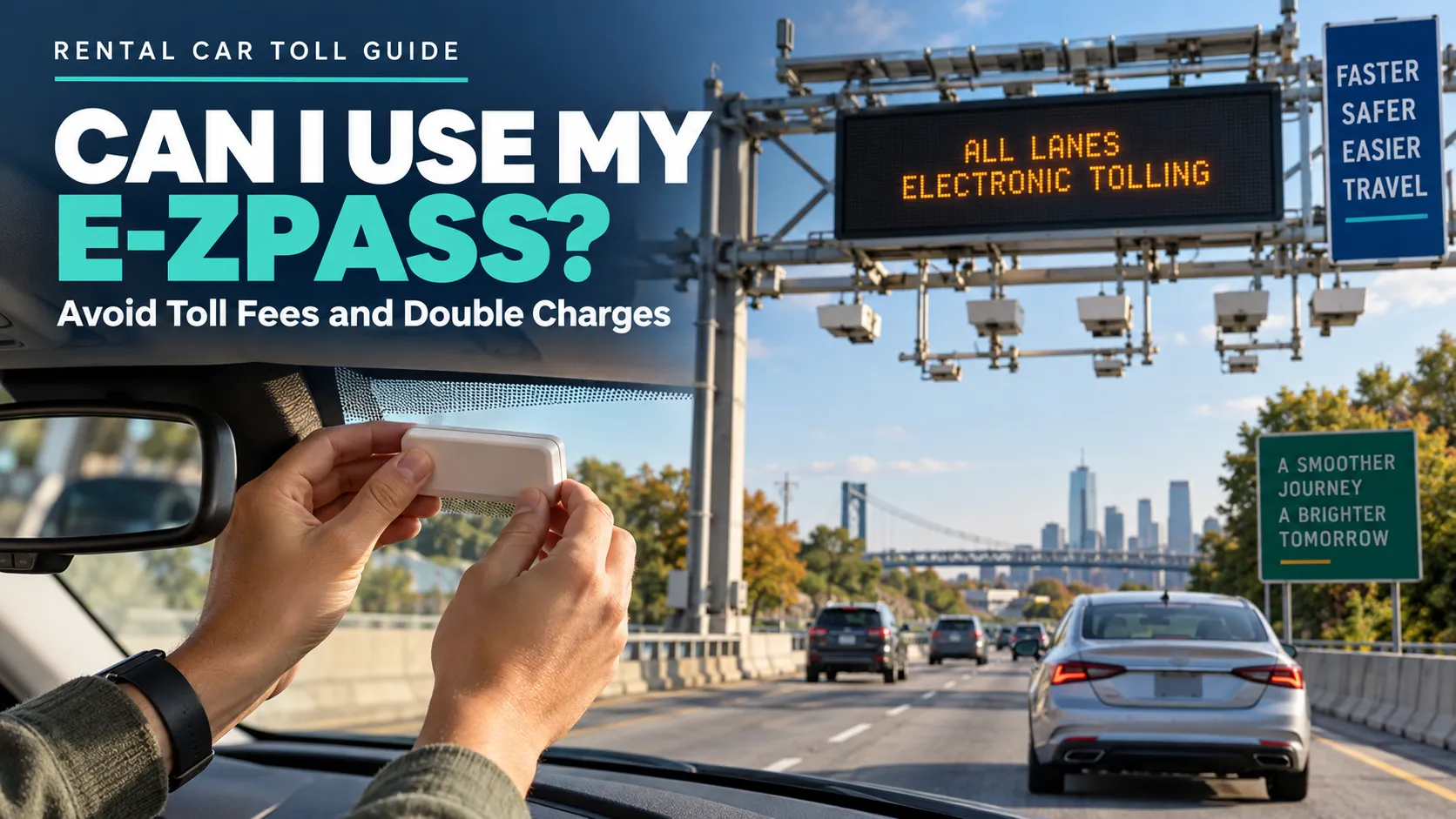
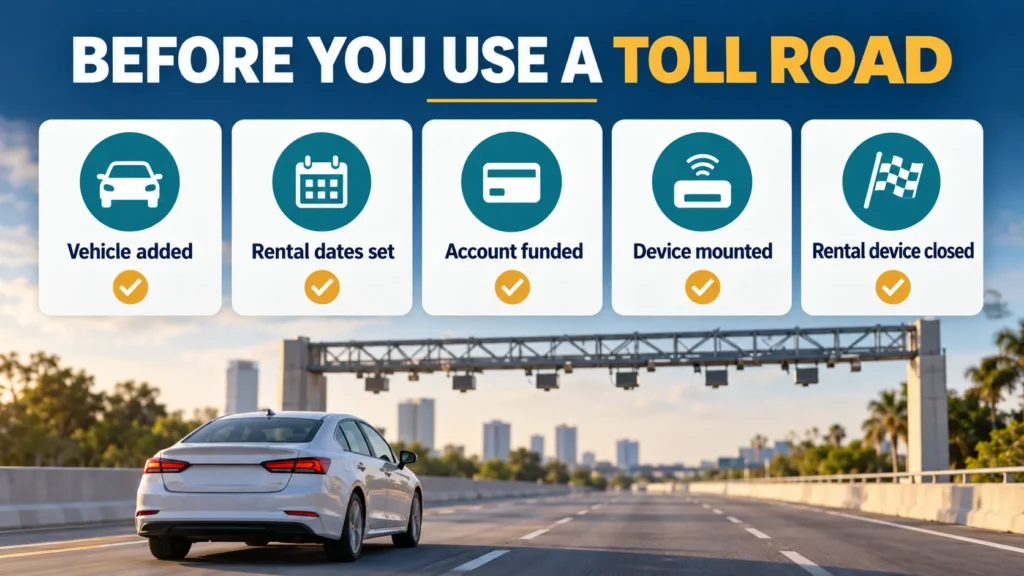
Yes, you can usually use your personal E-ZPass transponder in a rental car, provided the rental is the same vehicle class your tag supports. Add the rental’s license plate and rental dates to your E-ZPass account when your issuing agency requires it, mount your tag correctly, and keep the rental company’s toll transponder closed or disabled. Remove the rental vehicle immediately after return so later tolls are not charged to your account.
Table of Contents
A personal transponder can be the simplest way to pay tolls in a rental car, especially on an East Coast trip through E-ZPass territory. It may also help you avoid convenience fees attached to a rental company’s toll program. However, placing the tag on the windshield is only one part of the process.
Your issuing agency may require the temporary license plate, plate state, vehicle class and exact rental period. The rental company may also have a built-in device that must stay inside a closed shield box. If both systems read the trip, resolving the duplicate charge can take more work than the original setup.
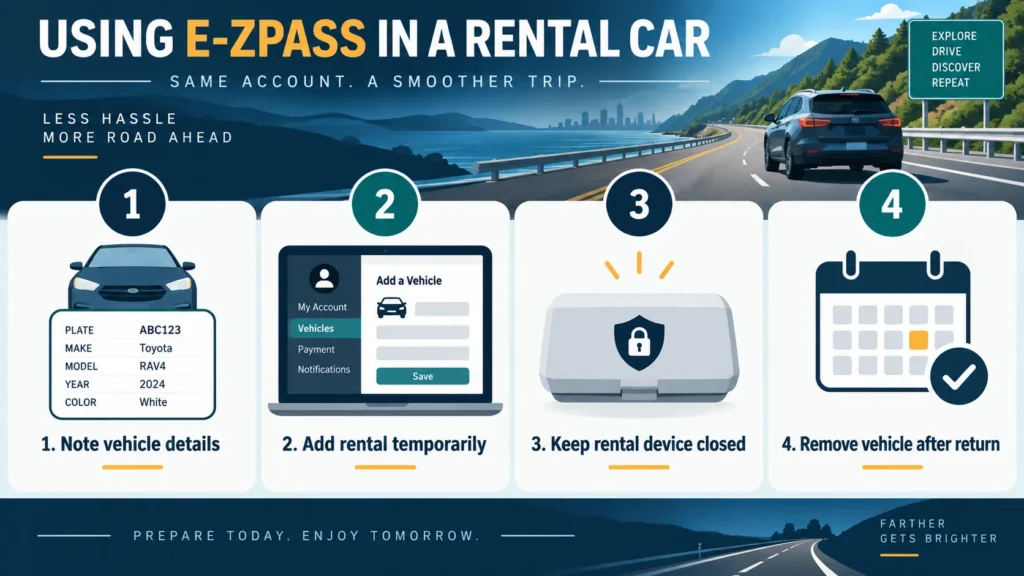
How to Use Your E-ZPass in a Rental Car
1 Get the correct rental vehicle details
After collecting the car, record the plate number, registration state, vehicle type and rental start and end times. Do not guess the plate from a confirmation email because the assigned vehicle can change at the counter.
2 Add the rental to your E-ZPass account
Log in to the website or app for the agency that issued your tag. Add the car as a rental or temporary vehicle when that option exists. New Jersey and Pennsylvania specifically let users enter effective dates and times, which limits the period during which plate-based tolls can reach the account.
3 Confirm the vehicle classification
A standard two-axle passenger rental normally matches a personal passenger-vehicle tag. Do not move the tag to a truck, large van, trailer combination or another class without checking your agency. E-ZPass Virginia states that a transponder may be switched only between vehicles of the same classification or type.
4 Disable the rental company’s toll device
Inspect the windshield for the rental company’s transponder and ask the desk how to opt out. Where the device uses a shield box, keep the box fully closed. Avis, Budget and Hertz publish shield-box guidance, while procedures differ by location and vehicle.
5 Mount and fund your personal tag
Use proper mounting strips rather than holding the tag while driving. Confirm that the account has a positive balance or valid replenishment method. A failed read may fall back to plate billing, which is why temporary plate registration matters.
6 Remove the rental after return
Delete the rental vehicle or let its temporary end time expire as soon as the contract ends. Review transactions for several days. Removing the car protects you from tolls incurred by the next renter being matched to your account.
Why You Should Add the Rental Plate
A working transponder should normally identify the account, but electronic toll systems also photograph license plates. If the tag is not read, the toll agency may use the plate as a backup. An accurate temporary plate listing helps the agency match your toll while limiting exposure after the rental ends.
Follow your own issuing agency’s directions rather than assuming every E-ZPass portal uses the same menus. New Jersey explicitly asks users to check a rental-vehicle box and enter start and end times; Pennsylvania offers a similar temporary-rental workflow. Other agencies may ask you to edit the vehicle list or contact customer service.
Personal E-ZPass Versus the Rental Toll Program
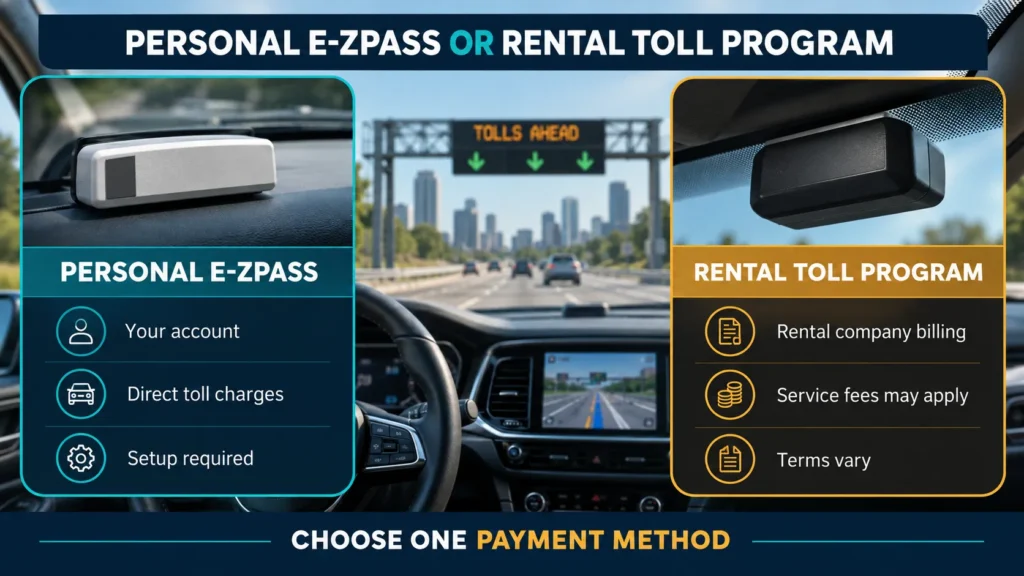
| OPTION | ADVANTAGE | IMPORTANT LIMITATION |
| Personal E-ZPass | Tolls post to your own account and rental service fees may be avoided | Requires correct setup, compatible territory and control of the rental’s device |
| Rental toll program | Convenient when you do not own a compatible tag | Convenience or daily fees may apply and terms vary by location |
| Direct toll payment | May work where the toll authority offers cash or online payment | Many roads are cashless and rental plates can be restricted from later self-payment |
Do not select both toll systems for the same trip. If your personal tag is active, follow the rental company’s opt-out instructions and keep its device closed. If you choose the rental program, leave your own tag at home or keep it inside its original radio-frequency shielding bag.
Can You Be Charged Twice?
Yes, duplicate billing is possible when the personal transponder and rental device are both exposed, or when a plate image is matched to a different account. It is not guaranteed to happen, but prevention is easier than correction. Save the rental agreement, toll timestamps and both account statements. Report a duplicate promptly to the E-ZPass agency and rental toll administrator using their current dispute process.
Where Your E-ZPass Will Not Work
E-ZPass works only at participating toll facilities. It is not a nationwide universal tag; for example, California uses FasTrak rather than E-ZPass. Before an interstate road trip, check each toll authority on the route. A rental-company program may cover a different network than your personal transponder.
Discounts also vary. Carrying an E-ZPass does not guarantee every home-agency discount on every out-of-state facility or rental plate. Special commuter, bridge or resident plans may require enrollment, a qualifying plate or a specific tag.
Airport Parking and E-ZPass Plus
Some E-ZPass accounts can pay at participating parking facilities through E-ZPass Plus, but do not assume the rental company’s toll program covers airport parking. Avis explicitly states that its e-Toll service does not cover airport parking. Check the parking operator and your E-ZPass account settings separately.
Rental Company Policies to Check
- Enterprise: personal transponders may be used to avoid TollPass service charges, but the issuer may require advance rental-vehicle registration.
- Avis and Budget: keep the vehicle’s transponder shield box off or closed and use your adequately funded, mounted, compatible device where the toll authority allows it.
- Hertz: keep the built-in transponder secured inside its closed shield box if you are not using PlatePass.
- Other brands and franchise locations: ask at pickup and read the agreement because toll products vary by region.
Compare Rental Cars Before Your Toll Road Trip
The booking platform helps you compare the vehicle and rate; the rental supplier controls the toll program. Before choosing a car, identify the operating rental company, read its toll section and compare any convenience fee against the number of toll-road days in your itinerary.
Trip.com
Travelers can compare rental cars on Trip.com by pickup location, vehicle category and supplier. This is useful when an itinerary includes several toll roads because you can compare more than the headline price and choose a car that suits the route, luggage and number of passengers.
Before booking, open the supplier’s important-information and rental-terms sections. Look for mileage limits, deposits, fuel rules, cancellation conditions and any mention of an installed toll device. Trip.com provides the booking marketplace, but the operating rental company sets the toll-program charges and personal-transponder rules.
Klook
If you are arranging activities and transportation in the same place, you can also search rental cars on Klook and compare available vehicle types and pickup options. The platform can be convenient for building a broader travel itinerary, especially when airport transfers, attractions and a rental car are being planned together.
Check the name of the actual rental supplier before confirming the reservation. Read its deposit, insurance, fuel, cancellation and toll sections, then verify whether your personal E-ZPass is permitted. A listing on Klook does not replace the supplier’s own toll policy, which can vary by pickup location and vehicle.
Booking.com
Travelers comparing accommodation and transportation can browse rental cars through Booking.com while planning the rest of the trip. Search results can help you review vehicle size, transmission, pickup location and supplier terms without treating the first displayed price as the only deciding factor.
Open the full rental conditions before payment and identify the company that will hand over the vehicle. Review mileage, fuel, deposit, cancellation and toll-program details, and ask the pickup desk how to keep its built-in toll device inactive when using your own E-ZPass. The rental supplier, rather than Booking.com, controls those operational rules.Frequently Asked Questions
Frequently Asked Questions
Do I have to add a rental car to my E-ZPass account?
Follow the issuing agency’s rule. New Jersey and Pennsylvania provide specific temporary-rental registration tools. Adding the plate is a sensible safeguard when permitted.
Can I just hold the E-ZPass up at the toll?
Mount it as instructed. Holding it while driving is unsafe and may produce a failed read.
Should I open or close the rental car transponder box?
Close or shield the rental device when using your personal tag, following the rental company’s instructions. Opening it may activate the rental toll program.
What if I forget to remove the rental plate?
Remove it immediately and review account activity. Contact your E-ZPass agency if a later toll appears.
Can I use E-ZPass in any state?
No. It works at participating E-ZPass facilities, not every U.S. toll road. Check the route’s toll authorities.
Does my E-ZPass discount apply in a rental car?
It depends on the toll facility and discount plan. Some plans require a registered plate, enrollment or another eligibility condition.
What if my personal tag does not read?
The toll may be matched through the plate, billed through the rental company or treated under the authority’s missed-toll process. Keep the rental plate registered and check both accounts.
Bottom Line
You can generally use your E-ZPass in a rental car when the vehicle matches your tag’s class and the road accepts E-ZPass. Add the rental plate and dates if your issuing agency requires it, mount the tag, fund the account and keep the rental toll device closed. Remove the car after return and review charges. Those few minutes of setup are the best defense against rental convenience fees and duplicate toll billing.
This article contains affiliate links. If you purchase through our links, we may earn a commission at no extra cost to you. We only recommend products we genuinely believe in. Read our Affiliate Disclaimer for full details.