Suppose you have just collected a rental car at the airport. You adjust the mirror, connect your phone, and notice a small black lens near the windshield. It appears to point toward the cabin. Suddenly, the car feels less private than it did thirty seconds ago.
So, do rental cars have cameras? Some do. Modern rental vehicles may have backup, parking, lane-assistance, dash, exterior, or cabin-facing cameras. However, a visible lens does not automatically mean the rental company is secretly watching or continuously recording you. What the camera does – and whether data leaves the vehicle – depends on the model, settings, manufacturer, rental supplier, and agreement.
The unsettling part is that the camera may not be the feature collecting the most information about your trip.
The Camera You Notice May Not Be Recording You
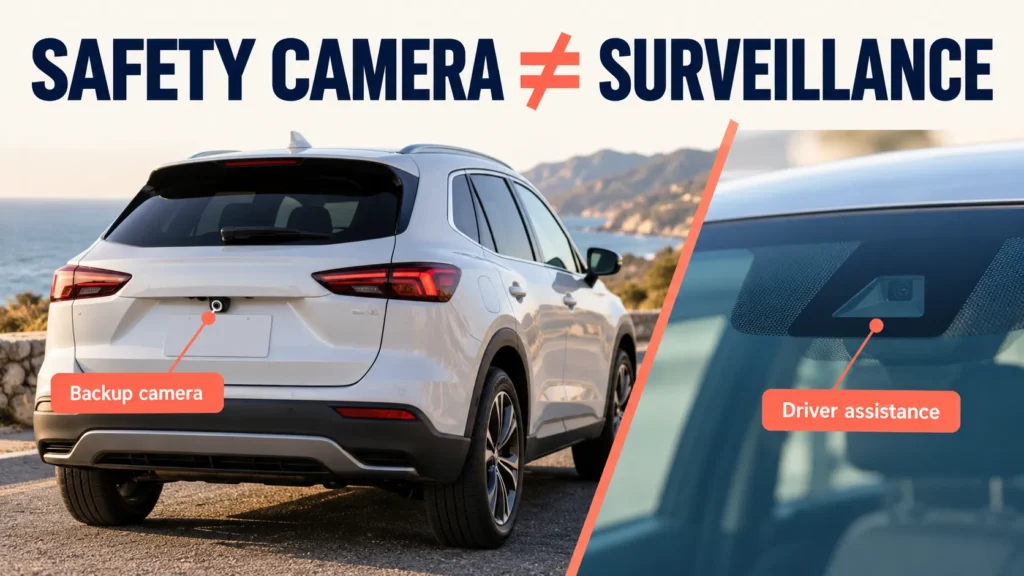
A lens near the mirror can look suspicious, but many factory-installed cameras support safety functions rather than ordinary video recording. They may help the car stay within lane markings, recognize road signs, manage automatic braking, or monitor whether the driver is paying attention.
A backup camera has an even simpler job: it shows the area behind the vehicle while you reverse. NHTSA explains that rearview video systems have been required on new U.S. vehicles since May 2018. Its presence in a rental car is therefore normal and does not, by itself, suggest surveillance.
The important question is not merely, “Is that a camera?” Ask: “What system uses it, does it save footage, and can anyone receive that footage?”
Do Rental Cars Record You Inside the Car?
Some vehicles can capture images from inside the cabin, but there is no single answer for every rental. Avis Budget Group’s current privacy notice says certain connected vehicles may be equipped to capture images inside and outside the vehicle, as well as audio recordings. It also says the information collected varies by make, model, features, and services used.
That wording does not mean every Avis or Budget vehicle records every renter. It means some vehicles have technology capable of collecting this type of data, and the exact behavior must be checked for the particular vehicle and rental.
Electric vehicles can create another layer of confusion. Hertz’s U.S. electric-vehicle terms state that an EV may have a dashcam that records incidents during the rental and that Hertz may use those recordings. Meanwhile, Tesla states that cabin-camera images and video ordinarily do not leave the vehicle unless data sharing is enabled. Tesla also says dashcam and Sentry Mode recordings are stored locally rather than sent to Tesla.
These examples show why the badge on the rental counter is not enough. The vehicle manufacturer, installed software, rental terms, and current settings can all matter.
Where Cameras May Appear in a Rental Car
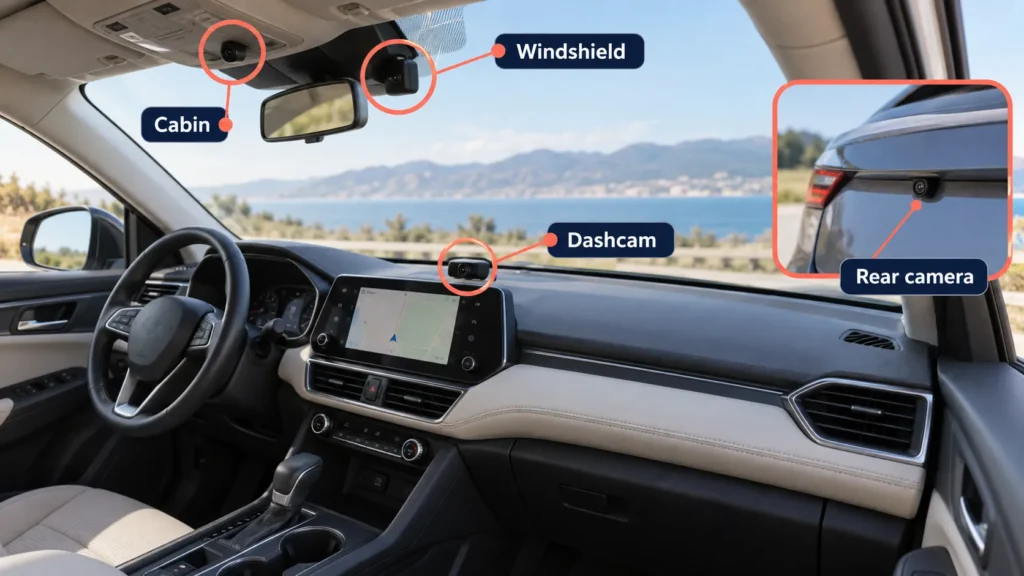
Before assuming you have found a recording device, look at its position and purpose. Common camera locations include:
- Behind or near the rearview mirror for lane keeping, collision warnings, sign recognition, and other driver-assistance functions.
- Above the dashboard or in the headliner for driver-attention or cabin monitoring.
- At the rear of the vehicle for reversing and parking assistance.
- In the grille, bumpers, or side mirrors for a surround-view parking image.
- Mounted separately on the windshield as a dashcam rather than built into the car.
Factory sensors usually blend into the mirror housing or bodywork. A separately mounted device with a visible power cable, removable memory card, suction mount, or status light deserves a closer look and a question at the rental desk.
Can the Rental Company Watch the Camera Live?
Do not assume live access simply because a camera exists. Some safety cameras process images inside the vehicle without saving a conventional video file. Other systems store clips locally, upload selected events, or transmit data only when a feature is enabled.
Access can also differ from collection. A manufacturer may process data, a rental company may receive certain connected-car data, a corporate fleet account may have access under its own program, or footage may remain only on local storage.
If the answer matters to you, ask the rental location these specific questions:
- Does this exact vehicle have an interior-facing camera or dashcam?
- Is it active during my rental?
- Does it record video, still images, or audio?
- Is anything transmitted, and who can access it?
- Can recording or data sharing be disabled without violating the agreement?
Ask for the relevant written policy when possible. A confident verbal “probably not” is less useful than the vehicle manual, privacy notice, and rental terms.
What Do Rental Cars Have Cameras May Collect Besides Video
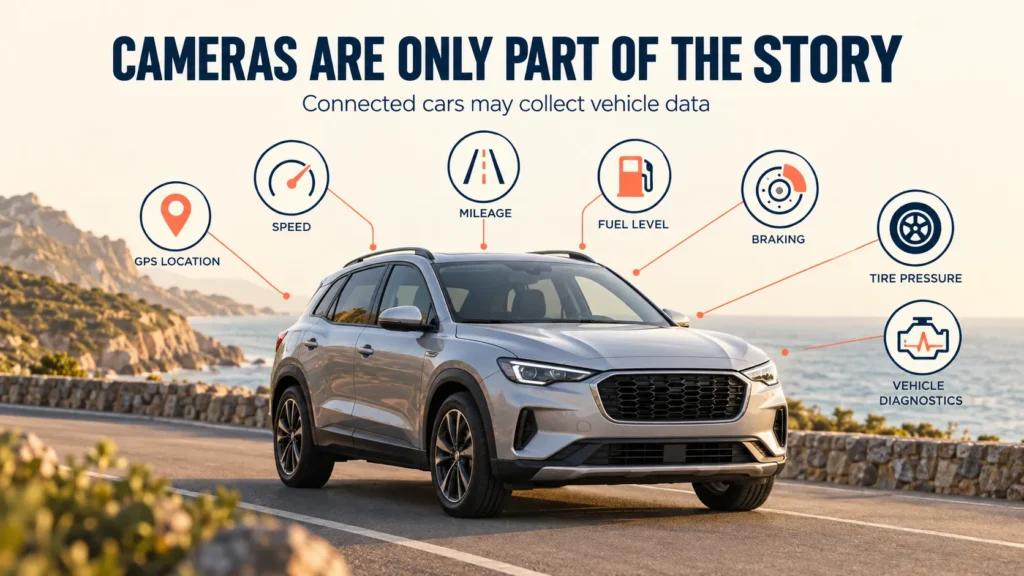
The small lens can capture your attention while the connected-car system quietly handles much more routine information. Depending on the vehicle and supplier, connected-car data may include:
- Precise or approximate vehicle location and direction of travel
- Mileage, odometer readings, fuel level, and battery or charging information
- Speed, acceleration, braking, and vehicle movements
- Tire pressure, warning lights, diagnostics, and maintenance information
- Damage, crash, roadside-assistance, or event records
- Remote lock, unlock, start, or vehicle-recovery information
Budget’s current rental terms describe uses that can include managing the rental, roadside assistance, claims, fleet operations, responding to law enforcement, and locating overdue, lost, or stolen vehicles where permitted by law. Avis Budget Group also tells customers to ask the rental station if they are unsure whether a vehicle is connected.
A connected car is not the same thing as a car filming you. But from a privacy perspective, location and driving data may reveal more about a trip than an ordinary parking camera.
Does a Rental Car Camera Record Audio?
Some connected-vehicle disclosures include the possibility of audio recording, but capability does not prove that audio is active in your particular car. Audio interception and consent rules vary significantly by jurisdiction, so rental companies and manufacturers may handle these features differently.
If you see a separately installed device with a microphone symbol, recording indicator, or unfamiliar voice-control feature, ask before driving. Do not remove, cover, unplug, or reconfigure equipment until the rental company confirms what the agreement allows.
What About a Camera Left by the Previous Renter?
A removable dashcam, action camera, or phone mount may belong to a previous customer rather than the rental company. Treat unfamiliar equipment as a lost item and report it immediately. Photograph where you found it, avoid reviewing its files, and ask the rental location to remove or document it.
If a device appears deliberately concealed or you feel unsafe, do not drive away simply to keep the schedule moving. Return to the staffed desk, request another vehicle, and document your concern. Contact local authorities when you have a reasonable safety concern or evidence of unlawful recording.
How to Check a Rental Car and Protect Your Privacy
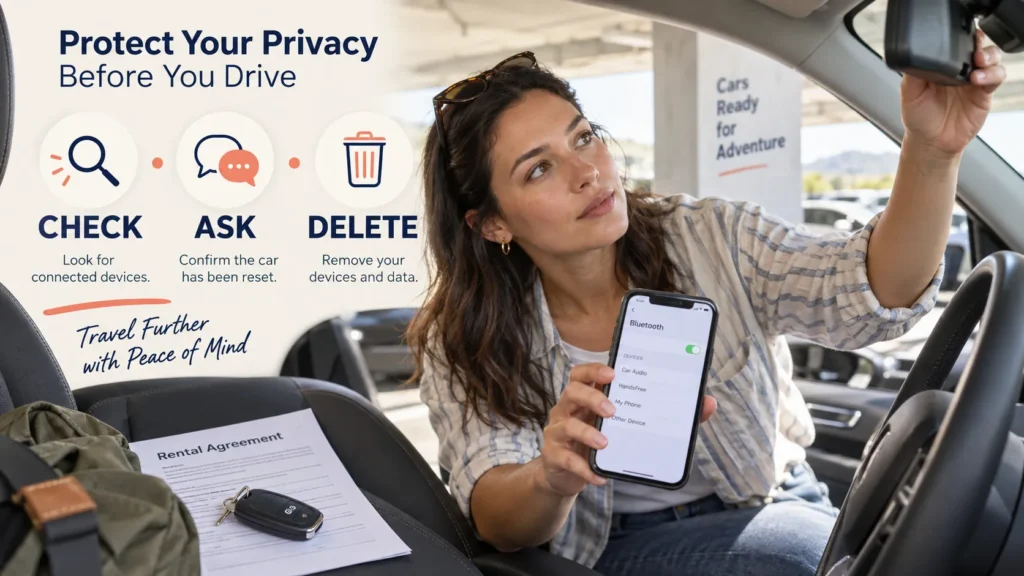
- Walk around the vehicle. Identify normal backup, parking, and mirror cameras while documenting the car’s condition.
- Inspect the cabin openly. Look near the mirror, windshield, dashboard, headliner, and power outlets for a separately mounted device.
- Ask about connected features. Confirm whether cabin cameras, dashcams, audio, telematics, or manufacturer services are active.
- Read the correct documents. Review the rental agreement, supplier privacy notice, and manufacturer’s connected-car policy for the exact model.
- Limit phone syncing. If you only need charging, avoid granting contacts, messages, call history, or other permissions.
- Erase your data before return. Delete paired devices, destinations, contacts, call logs, messages, garage-door codes, and account profiles.
- Photograph unusual equipment. If something is unclear, record its position and obtain written guidance rather than tampering with it.
The FTC warns that rental-car infotainment systems can retain personal information after a vehicle is returned. Its advice includes avoiding unnecessary syncing and deleting your data before handing back the keys.
Should You Cover or Disconnect a Rental Car Camera?
Usually, no – not without permission. Covering a camera may disable lane assistance, driver monitoring, parking support, or another safety function. Unplugging a device can also trigger warnings, damage equipment, erase evidence, or violate the rental agreement.
If you object to an interior camera, ask whether it can be disabled through an approved setting or request a different vehicle. The rental company may not be able to guarantee a model without connected features, but asking before departure gives you more options than altering the car yourself.
Compare the Vehicle and Supplier Before Booking
Privacy information often becomes clearest only after the supplier and vehicle are identified. A comparison platform can help you narrow down available cars, but its listing does not replace the supplier’s agreement or the manufacturer’s privacy policy.
When you compare rental cars through Trip.com, open the offer details and identify the company that will actually supply the vehicle. Compare the vehicle class, deposit, included protection, driver rules, mileage, and cancellation conditions. If connected-car features concern you, contact the named supplier before the free-cancellation deadline and ask whether the reserved class commonly includes cabin cameras or dashcams.
Klook’s car-rental search can also help you compare available cars and pickup suppliers for a destination. Read the supplier information, vehicle examples, included coverage, cancellation terms, and pickup instructions. Since a vehicle “or similar” may be substituted, treat the listed model as an example and confirm privacy-sensitive equipment when you collect the actual car.
You can likewise review rental-car options on Booking.com and compare the supplier attached to each offer. Save the final booking confirmation and rental conditions offline. At pickup, verify whether the delivered model differs from the example and ask about any unfamiliar lens or connected feature before leaving the lot.
These platforms can make vehicle and supplier comparison easier. The final rental agreement, privacy notice, and actual car determine which systems apply to your trip.
Frequently Asked Questions
Do all rental cars have cameras inside?
No. Some rental cars have cabin-monitoring cameras, while others have only exterior or driver-assistance cameras. Equipment and settings vary by model, supplier, and location.
Are rental-car backup cameras always recording?
Not necessarily. A backup camera commonly displays a live view while the vehicle is in reverse. Whether any image is stored depends on the vehicle and connected features.
Can a rental company see where I drive?
Some connected rental vehicles can transmit location and other telematics data. When and why the supplier may access or use it depends on the agreement, privacy notice, technology, and applicable law.
Can rental cars record conversations?
Some connected vehicles may be capable of audio recording, but capability does not establish that a specific rental is recording. Ask the supplier about the exact vehicle and check the applicable privacy documents.
How can I tell whether a lens is a camera?
Check the owner’s manual or ask the rental location. Common factory cameras sit near the rearview mirror, rear license plate, grille, bumpers, and side mirrors. Do not dismantle or cover equipment to investigate it.
Can I request a rental car without cameras?
You can ask, but availability is not guaranteed. Even vehicles without cabin cameras may have federally required backup cameras or other safety sensors. Explain whether your concern is interior recording rather than ordinary exterior safety equipment.
The Bottom Line
Do rental cars have cameras? Some do, and the camera may face outside the vehicle, toward the driver, or both. Many lenses support reversing, parking, lane assistance, or driver attention rather than continuous surveillance. Other vehicles may store or transmit selected camera, audio, location, or telematics data under the manufacturer’s and rental company’s terms.
Before driving away, identify unfamiliar equipment, ask what is active, read the correct privacy terms, and avoid tampering with safety systems. When you return the car, remove your paired phone and erase the personal information stored in the infotainment system.
The safest approach is simple: check the car, ask direct questions, and delete your data before handing back the keys.
Privacy note: This article provides general information, not legal advice. Privacy, video, audio, biometric, and consent laws vary by location.
This article contains affiliate links. If you purchase through our links, we may earn a commission at no extra cost to you. We only recommend products we genuinely believe in. Read our Affiliate Disclaimer for full details.